A quick look before you join
Your camera in the notch, or in a small window you can move and resize.
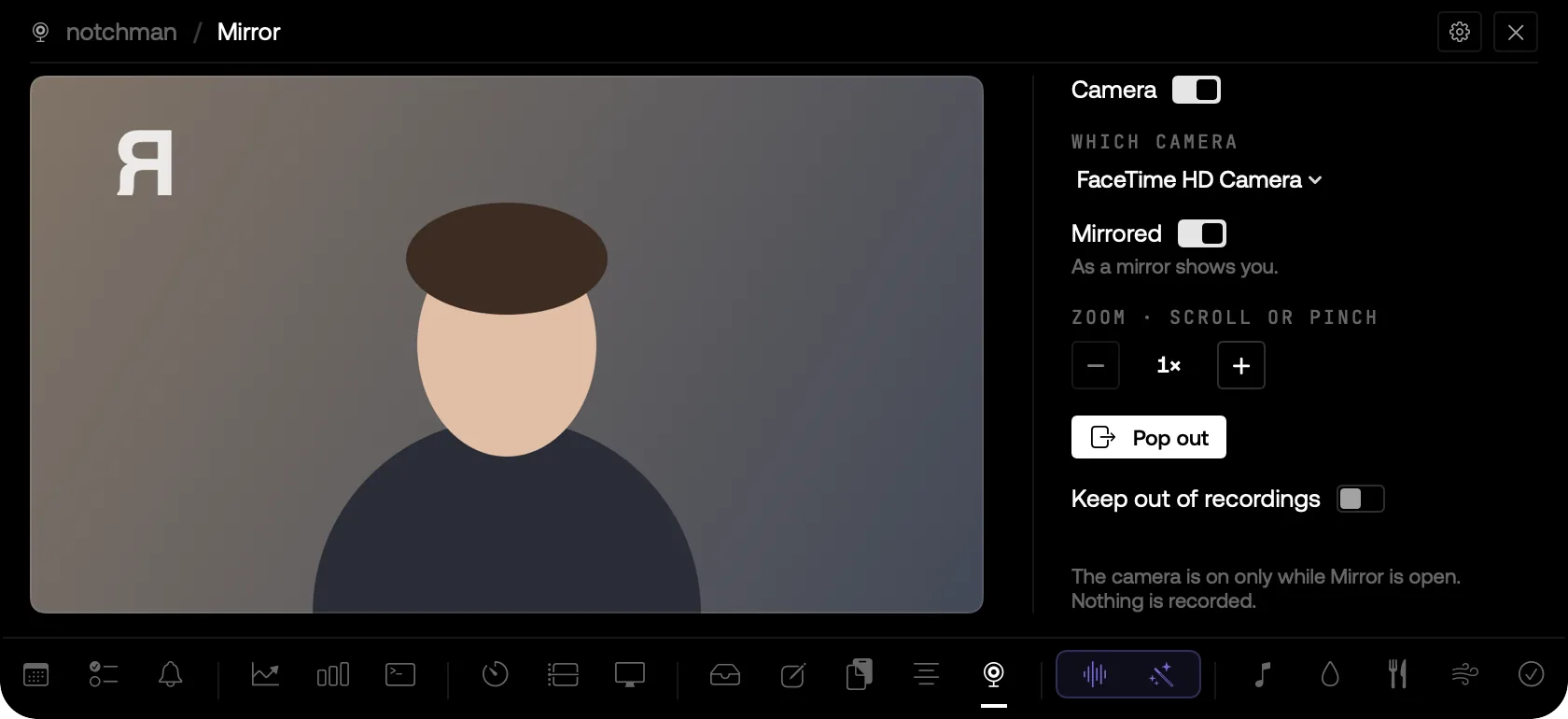
MIRROR IN THE NOTCH, MIRRORED, WITH ZOOM AND POP OUT.
01 · The problem
Checking how you look before a call means opening Photo Booth or joining early with your camera on. Both take longer than the check itself.
02 · How Mirror works
Open Mirror and your camera is there. Mirrored shows you as a mirror would; switch it off to see yourself as others will on the call. Zoom from 1× to 4× with − and +, a scroll or a pinch; double-click for 1×.
Pop it out into a small window that floats above your other apps: drag it anywhere, drag the bar on its bottom edge to resize it. Pick another camera, like your iPhone, if you have more than one.
The camera is on only while Mirror is showing, and off the moment you close it. The Camera switch turns it off even with the tab open. Nothing is recorded, and Keep out of recordings hides it from screen shares.
03 · Tips
- Pop it out and leave it in a corner while you wait in a call's lobby.
- Double-click the picture to go back to 1×.
04 · Questions
Is anything recorded?
No. The picture goes from the camera to the screen and nowhere else.
Why does macOS ask for the camera?
Only when you press Turn on camera the first time; notchman never turns it on by itself.
Goes well with
Mirror is one of twenty-one tools in notchman. One-time purchase, everything stays on your Mac.
Updated 2026-10-04