Today's takings, in the notch
Connect a provider with a key. Hover for today, the week, the month, and the last sales.
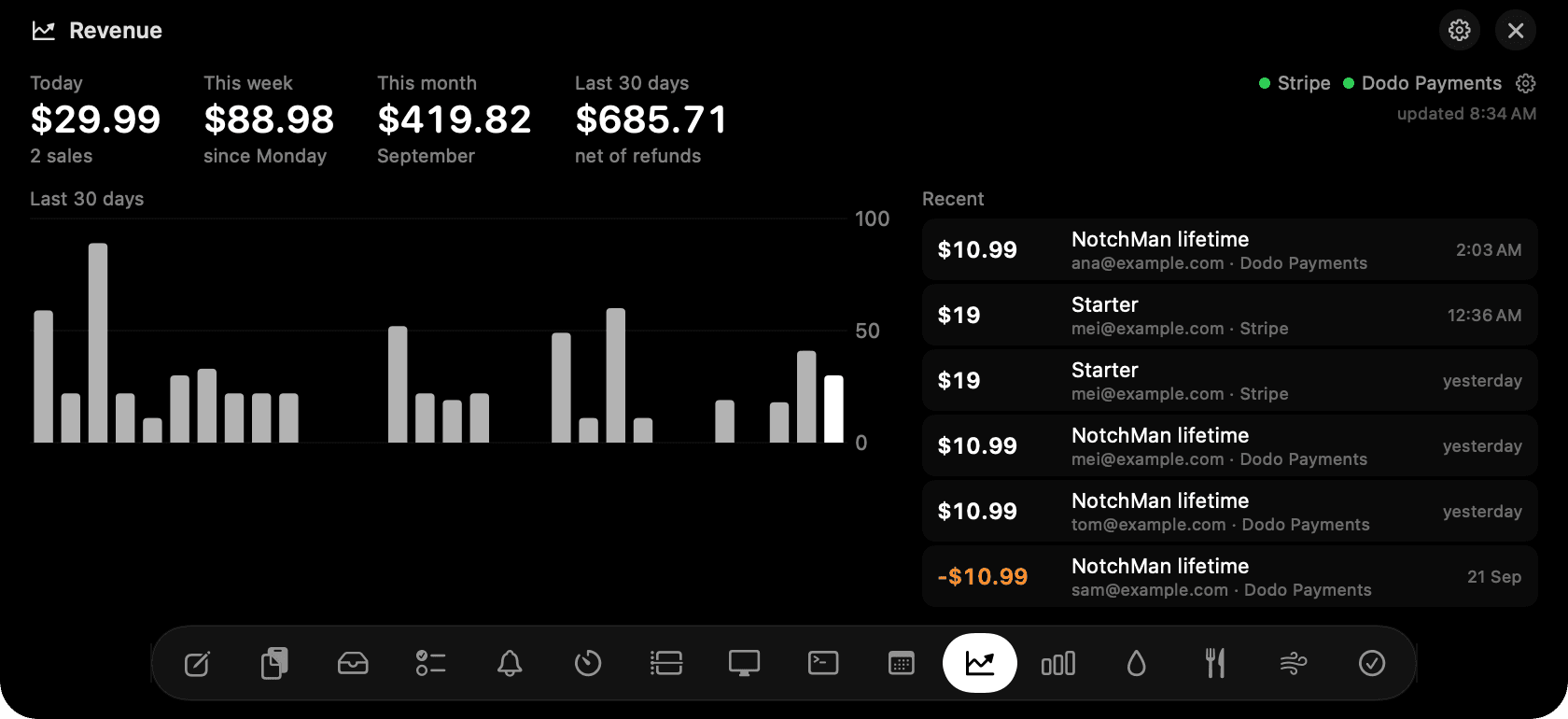
Revenue in the notch: today, week, month, the 30-day chart and recent sales.
The problem
Checking whether anything sold means opening a dashboard, logging in, and waiting for it to load, several times a day. The number you want is one line.
How Revenue works
Paste a read-only key from Stripe, Polar, Dodo Payments or Lemon Squeezy, or several. The key goes into your Mac's Keychain, encrypted by macOS, and is only ever sent to the provider that issued it.
The tab pulls the last 30 days of sales straight from each provider's own list endpoint and shows today, this week, this month and the last 30 days, all net of refunds, with a 30-day chart and the last eight sales with product and customer.
It refreshes every five minutes while open and keeps a local cache so it opens instantly. A green dot per provider means it's reading; orange shows the exact error if a key is rejected.
Tips
- On Stripe, make a restricted key with read access to balance transactions rather than pasting the secret key.
- Sales in more than one currency are added at face value; the tab says so when it happens.
Questions
- Is my key safe?
- It's stored in the macOS Keychain, readable only by NotchMan on this Mac, never synced or backed up, and used read-only over HTTPS with the provider.
- Does it show MRR or subscriptions?
- Not yet. It shows what was paid, when. Subscription views are on the list.
- Which providers?
- Stripe, Polar, Dodo Payments and Lemon Squeezy. Paddle and Gumroad are not there yet.
Goes well with
Revenue is one of sixteen tools in NotchMan.
One-time purchase, everything stays on your Mac, macOS 14 or later.
Updated 2026-09-24