Drink water, one click at a time
A glass that fills as you log, and reminders that know when to stay quiet.
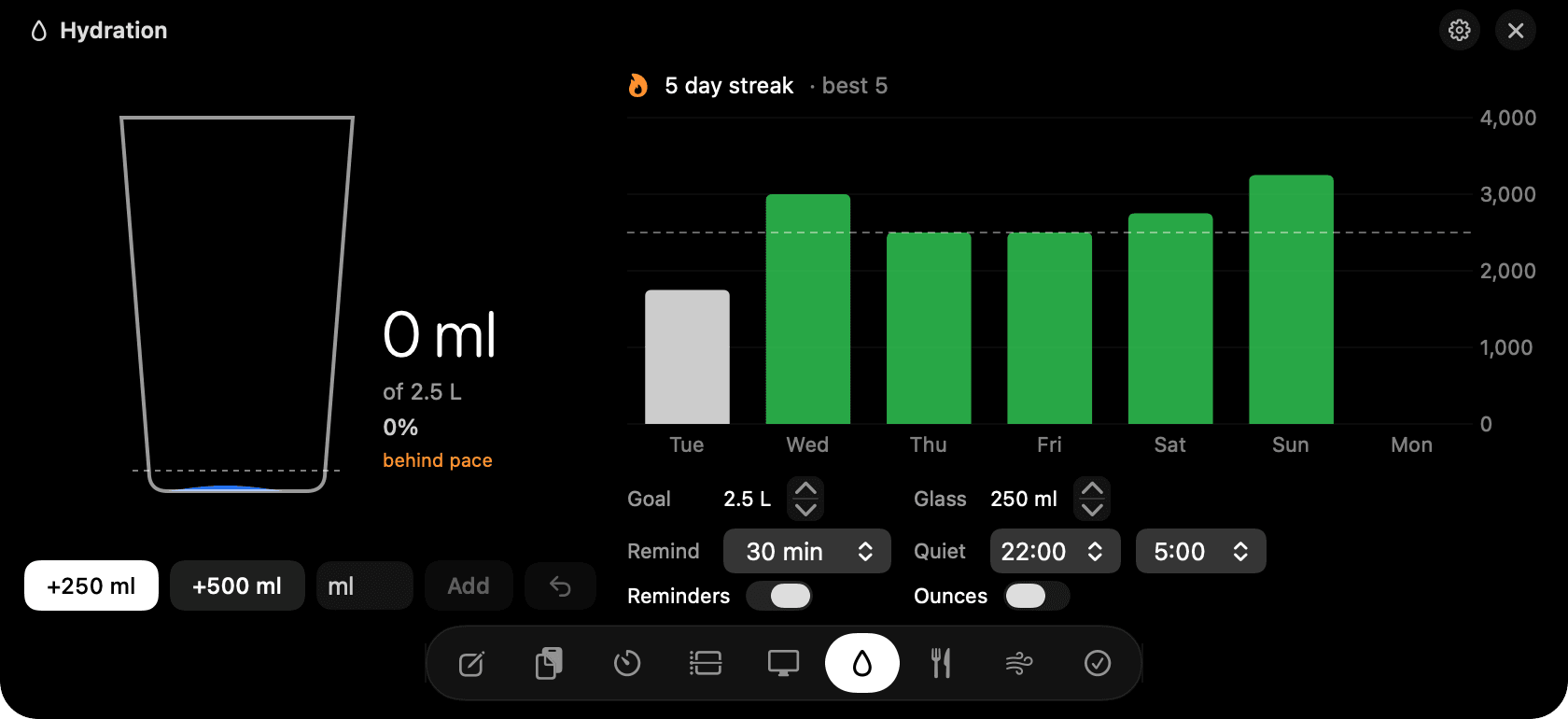
Hydration in the notch: the glass, the pace line and the week.
The problem
Everyone means to drink more water. Nobody logs it, because logging is annoying and reminder apps nag at the worst moments.
How Hydration works
One click logs a glass, and the glass on screen rises with a wave. A dashed line shows where you should be at this hour, so you can see at a glance whether you're on pace, not just the total.
Reminders arrive as macOS notifications with a Log button, so you never open anything. They know when you've been away from the Mac and when you're in a Pomodoro focus block, and they wait. Quiet hours cover the evening.
Goal, glass size, reminder interval and quiet hours live at the bottom of the tab. Switch between millilitres and ounces with one toggle. A streak counts the days you hit the goal.
Tips
- Undo within six seconds if you misclick.
- Type 0.5 L or 300ml in the custom field for anything that isn't a glass.
Questions
- Will it remind me while I'm away from the Mac?
- No. Reminders only fire when you've been active recently. If you were away, the next one comes once you're back.
- Can I use ounces?
- Yes. There's an ounces toggle in the tab, and the goal and glass size follow it.
- How often does it remind me?
- Every 30 minutes by default. Change the interval in the tab, or turn reminders off and just use the glass.
Goes well with
Hydration is one of nine tools in NotchMan.
One-time purchase, everything stays on your Mac, macOS 14 or later.
Updated 2026-09-21