Small habits, kept
Today's list on the left, six months of dots on the right.
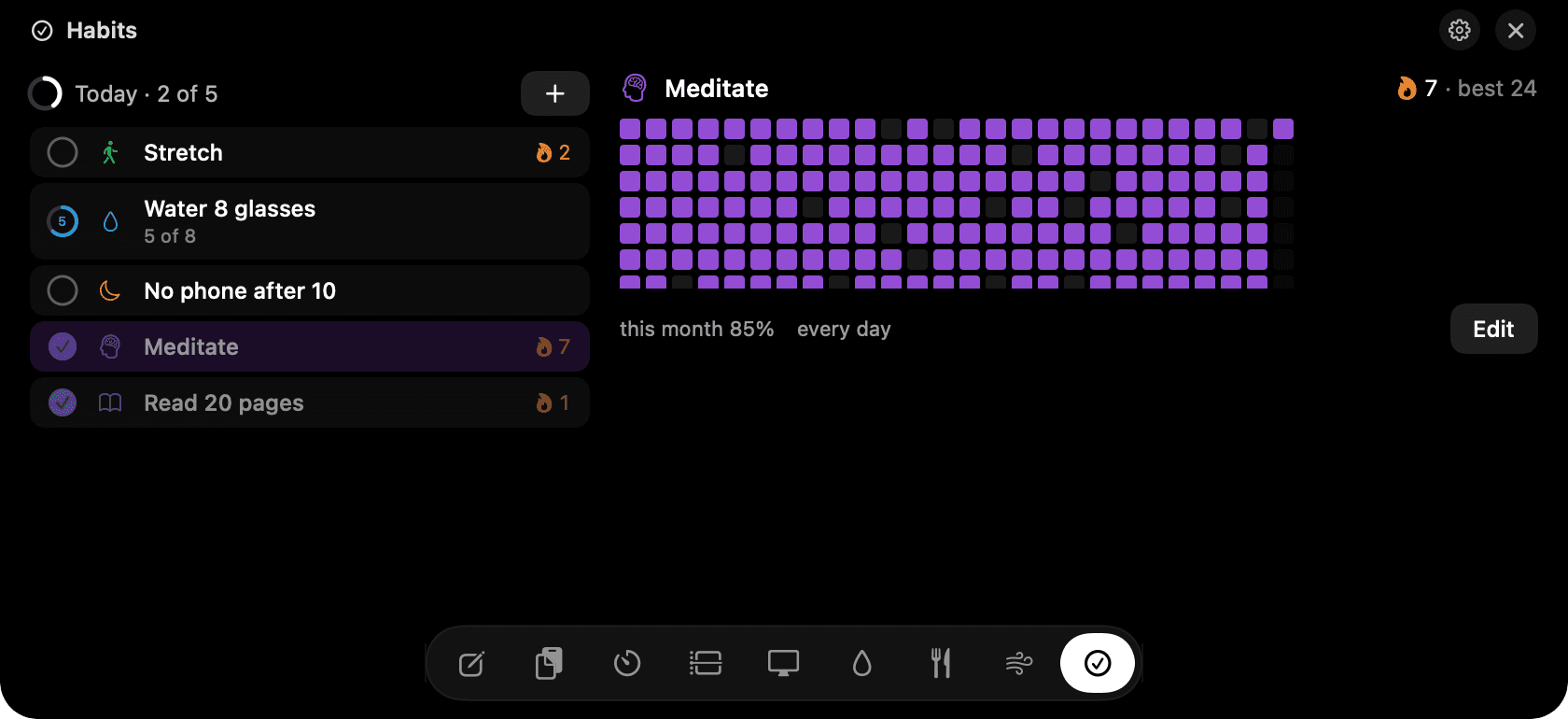
Habits in the notch: today's list and the heatmap.
The problem
Habit apps die after two weeks because logging is a chore and the app is on your phone, somewhere else, while you're at the Mac all day.
How Habits works
Add check-off habits like Stretch or No phone after 10, and counted habits like eight glasses of water. Each runs on the days you choose. Weekday habits don't break a streak on Saturday.
Click the small circle to mark today. Click the row to see that habit's history and heatmap. Right-click to mark yesterday, or to skip today without breaking the streak.
A six-month heatmap sits beside the list so you can see the shape of a month at a glance. Reminders are per habit and only fire if the habit isn't done yet.
Tips
- Start with three habits, not ten. The heatmap is more motivating when it's mostly filled.
- Counted habits show progress in the row, so eight glasses reads 5 of 8 until it's done.
Questions
- Can I mark a habit for yesterday?
- Yes. Right-click the row and choose yesterday. The heatmap updates immediately.
- What breaks a streak?
- Missing a day the habit is scheduled for. Unscheduled days and days you mark as skipped don't count against you.
- Do reminders keep firing after I've done it?
- No. A reminder only fires if the habit isn't marked done for the day.
Goes well with
Habits is one of nine tools in NotchMan.
One-time purchase, everything stays on your Mac, macOS 14 or later.
Updated 2026-09-21