Talk anywhere. It types where your cursor is
⌥⌘K, say it, ⌥⌘K. Fillers gone, corrections kept, punctuation in.
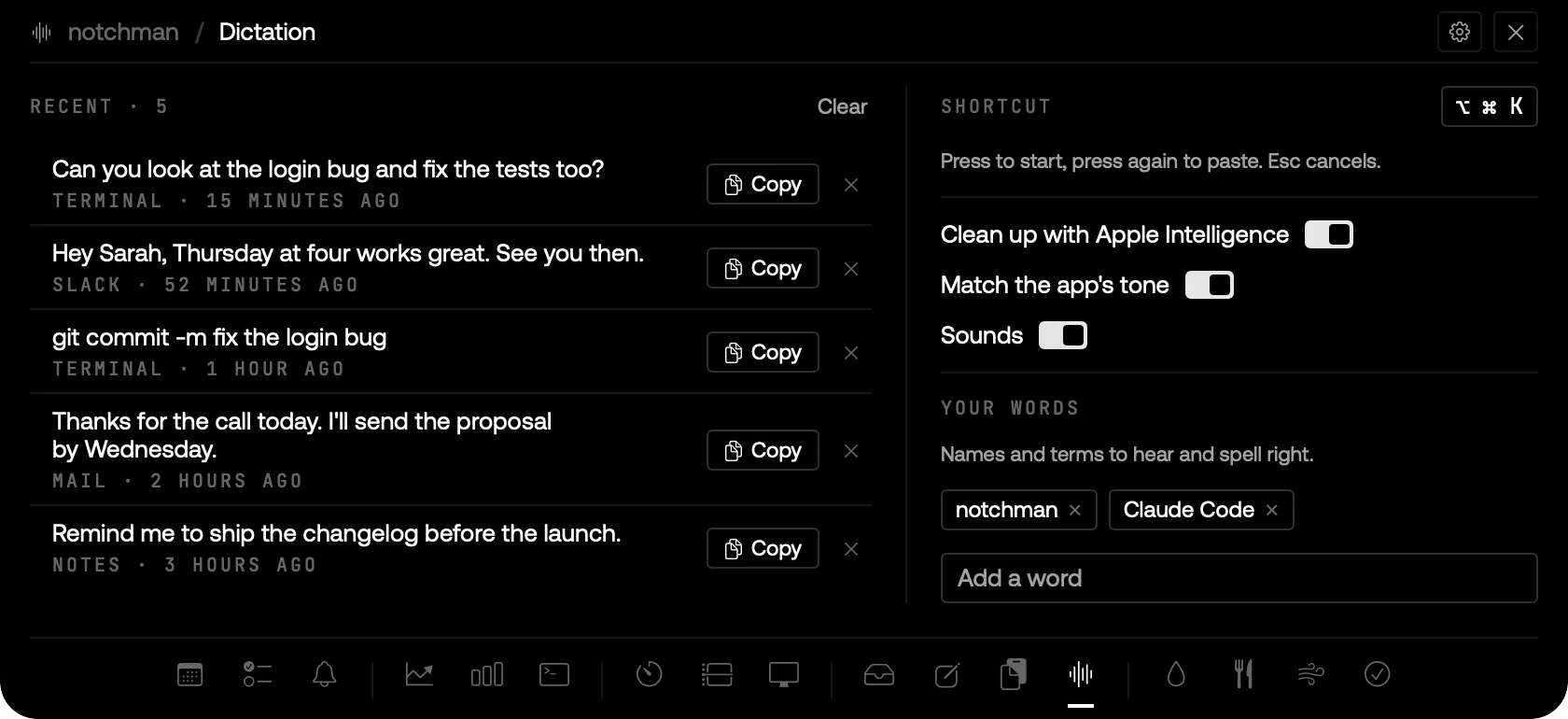
DICTATION: RECENT DICTATIONS WITH THE APP THEY WENT TO, AND YOUR WORDS.
01 · The problem
You think faster than you type, and the built-in dictation writes down every um, every false start, and the wrong version of the name you just said.
02 · How Dictation works
Press ⌥⌘K in any app. The notch opens with dots that move with your voice; your words are turned into text on your Mac as you speak. Press ⌥⌘K again, or click ✓, and the text is pasted wherever your cursor is by then. Esc or ✕ throws it away.
Before it pastes, it tidies: fillers and repeated words go, a correction like "Friday, no, Thursday" keeps only Thursday, and it adds punctuation. It adjusts to the app: casual in chat, full sentences in email, and in a terminal "git commit dash m" becomes git commit -m.
Add names and terms under Your words (your product, your team, "Claude Code") and they're heard and spelled right. Recent dictations are kept in the Dictation tab to copy again, and cleanup, tone matching and sounds can each be switched off.
03 · Tips
- Say corrections out loud, "no, actually", and keep going: only the final version is pasted.
- Dictating with Notes open puts the words straight into the open note.
04 · Questions
Does my voice leave my Mac?
No. Speech is turned into text by Apple's on-device engine, and the cleanup runs on Apple Intelligence on your Mac. It works offline.
What does it need?
macOS 26 with Apple Intelligence for the cleanup, the microphone, and Accessibility, which is what lets it paste into other apps. It asks the first time you press ⌥⌘K.
Will it answer my question instead of typing it?
No. It only tidies what you said. If a cleanup looks like it changed your meaning, your own words are pasted instead.
Does it mess up my clipboard?
No. It borrows the clipboard for a moment to paste, then puts back what was there, and nothing lands in the Clipboard history.
Goes well with
Dictation is one of seventeen tools in notchman. One-time purchase, everything stays on your Mac.
Updated 2026-09-28