Your next event, one hover away
A countdown to what's next, today's list, and a Join button.
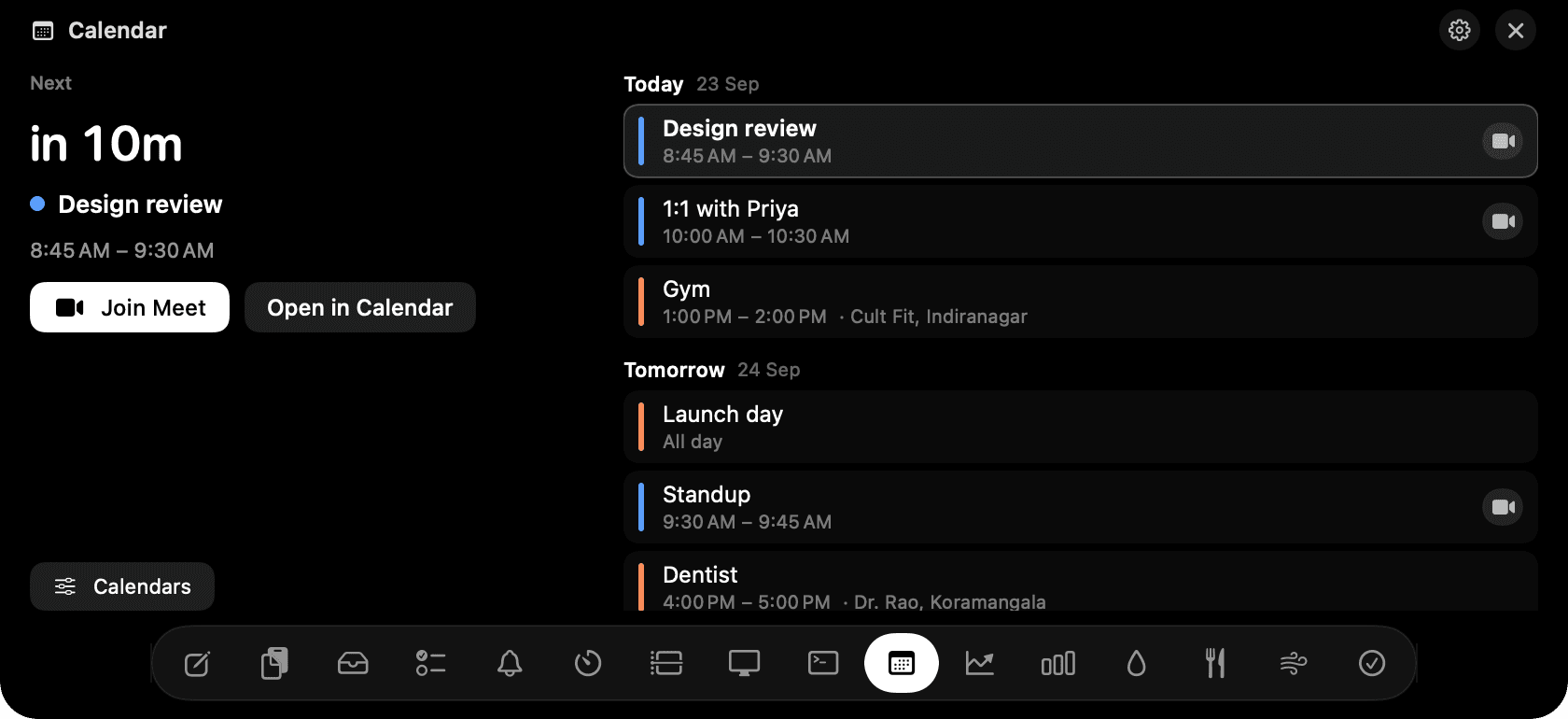
Calendar in the notch: a countdown to the next event, Join, and today's list.
The problem
You're deep in something and want to know how long you have. Opening Calendar for that is a context switch, and the meeting link is always three clicks into the invite.
How Calendar works
Hover the notch and the left side shows the next event with a live countdown: "in 1h 12m", then "ends in 30m" while it runs. Its calendar colour, time, location, and a Join button that names the service: Meet, Zoom, Teams, Webex, FaceTime, Around or Whereby, found in the event's link, location or notes.
On the right, today's remaining events, then tomorrow, then any day in the next week with something on it. All-day events sit at the top. Click a row and it takes over the left card; Open in Calendar is there when you want the full thing.
It reads the calendars in the Mac's Calendar app, so anything you've added there in System Settings → Internet Accounts comes through: Google, iCloud, Outlook, Exchange. Nothing is written back and nothing leaves your Mac.
The Calendars button picks which calendars to include, and there's a switch to hide events you've declined. The list updates the moment the Calendar app receives a change.
Tips
- Untick birthdays, holidays and Siri suggestions in the picker; they crowd the list.
- Google accounts sync on the interval set in Calendar → Settings → Accounts. Set it to every minute for near-live updates.
Questions
- Does it need my Google password?
- No. It reads what the Mac's Calendar app already has. Add the account there once and the notch sees it.
- Can I create or edit events?
- No, on purpose. That's what the Calendar app is for. The notch answers what's next and gets you into the call.
- Why is a meeting link missing?
- Most likely the Mac hasn't pulled it from the server yet. Press ⌘R in the Calendar app, or shorten the account's refresh interval.
- What permission does it ask for?
- Calendar access, once, the first time you open the tab. Deny it and the tab explains how to turn it on in System Settings; nothing else is affected.
Goes well with
Calendar is one of sixteen tools in NotchMan.
One-time purchase, everything stays on your Mac, macOS 14 or later.
Updated 2026-09-24