Your Claude Code day, in the notch
Tokens, messages, tool calls, sessions, and a grid that fills as the streak grows.
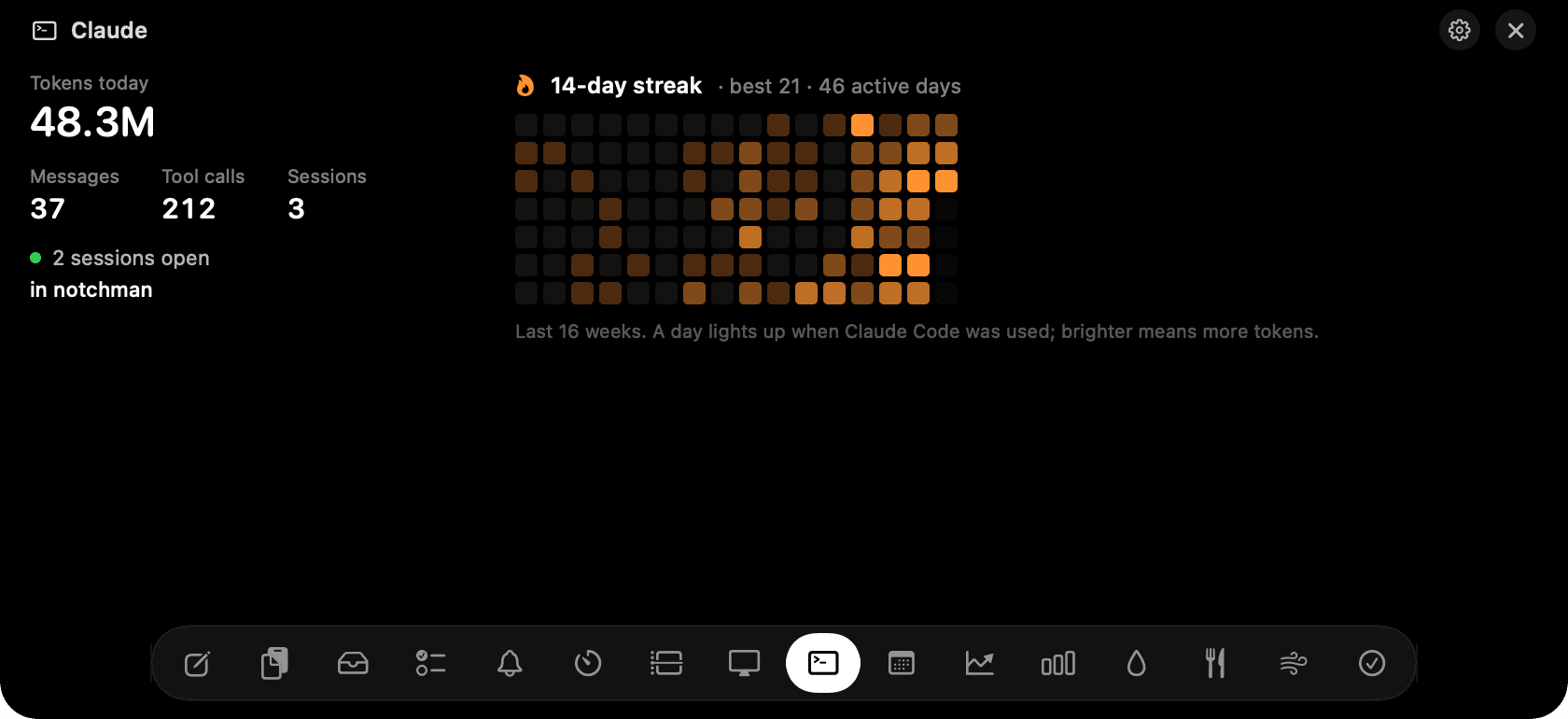
Claude in the notch: tokens today, messages, sessions, and the streak grid.
The problem
Claude Code runs in a terminal you're not always looking at. How much it's chewed through today, how many sessions are open, and whether you've kept the streak going are all questions with no quick answer.
How Claude works
Claude Code writes a transcript of every session to your home folder. The tab reads those files, only the parts added since it last looked, and adds up tokens, messages you sent, tool calls and distinct sessions for today.
It also counts the sessions open right now and names the project of the one you last typed in. On the right, a streak of consecutive active days with your best, and a 16-week consistency grid: a day lights up when Claude Code was used, brighter for more tokens.
Nothing is sent anywhere and no key is needed. It's the same data Claude Code's own /stats command shows, kept on your disk.
Tips
- Tokens include cache reads, which is why the number is large; that's what the API counts too.
- Hover a square in the grid for that day's total.
Questions
- Does it show my plan limits?
- No. Claude Code doesn't store the 5-hour and weekly limits on your Mac. Run /usage in Claude Code for those.
- Does it work with Codex or Cursor?
- Not yet. Claude Code only; Codex is on the roadmap.
- Is anything sent to Anthropic?
- No. The tab reads local files and never makes a network request.
Goes well with
Claude is one of sixteen tools in NotchMan.
One-time purchase, everything stays on your Mac, macOS 14 or later.
Updated 2026-09-24