Notes and voice notes in your Mac's notch
Type it, say it, or record it. It's one hover away, and it's still there tomorrow.
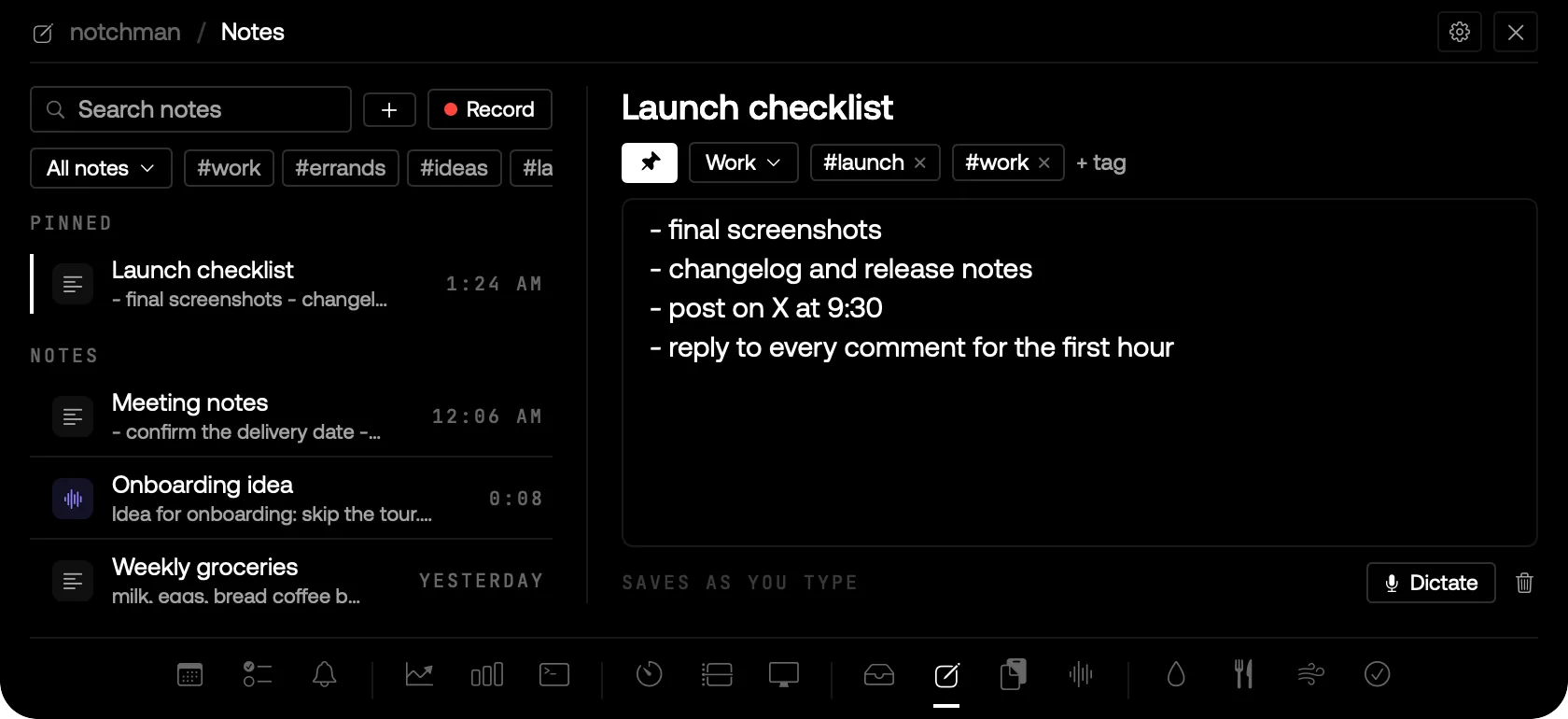
NOTES IN THE NOTCH: A PINNED CHECKLIST, FOLDERS AND TAGS, AND VOICE NOTES IN THE SAME LIST.
01 · The problem
Thoughts arrive mid-task: a phone number, an idea on a call, a list for later. Notes.app is three clicks away, a voice memo ends up somewhere you never look again, and by tonight you've forgotten where you put either.
02 · How Notes works
Hover the notch and pick Notes: your newest note is open, so you can just type. ⌘N starts a new one with the cursor in its title; Return takes you to the text. Everything saves a third of a second after you stop typing, and an empty note tidies itself away.
Press ⌥⌘J in any app to record a voice note. The notch shows a red dot and the time; press ⌥⌘J again and it's saved. It's transcribed on your Mac, given a short title, and plays back with a waveform you can scrub and 1.5× or 2× speed. You can also press Record in Notes, or Dictate inside a note to talk it straight into the text.
Keep it organised your way: pin what matters to the top, put notes in folders, add tags and click a tag to filter. Search finds text notes, titles, tags, and what you said in voice notes.
03 · Tips
- Tag voice notes as you go, so a week of them stays findable.
- Insert into a note turns a voice note's transcript into text you can keep editing.
- Your Scratchpad text from earlier versions is the first note.
04 · Questions
Where are my notes and recordings kept?
On your Mac, in your Library folder. Nothing is uploaded, and transcription happens on your Mac too.
How long can a voice note be?
Up to ten minutes. At that point it saves itself; start another if you have more to say.
What happened to the Scratchpad?
Notes replaced it in 0.3.0. Its text became your first note, so nothing was lost.
Does it support Markdown or formatting?
No. Plain text, so whatever you paste in goes in clean and copies out clean.
Goes well with
Notes is one of seventeen tools in notchman. One-time purchase, everything stays on your Mac.
Updated 2026-09-28