A clipboard manager in your Mac's notch
macOS remembers one thing. This remembers the last five hundred.
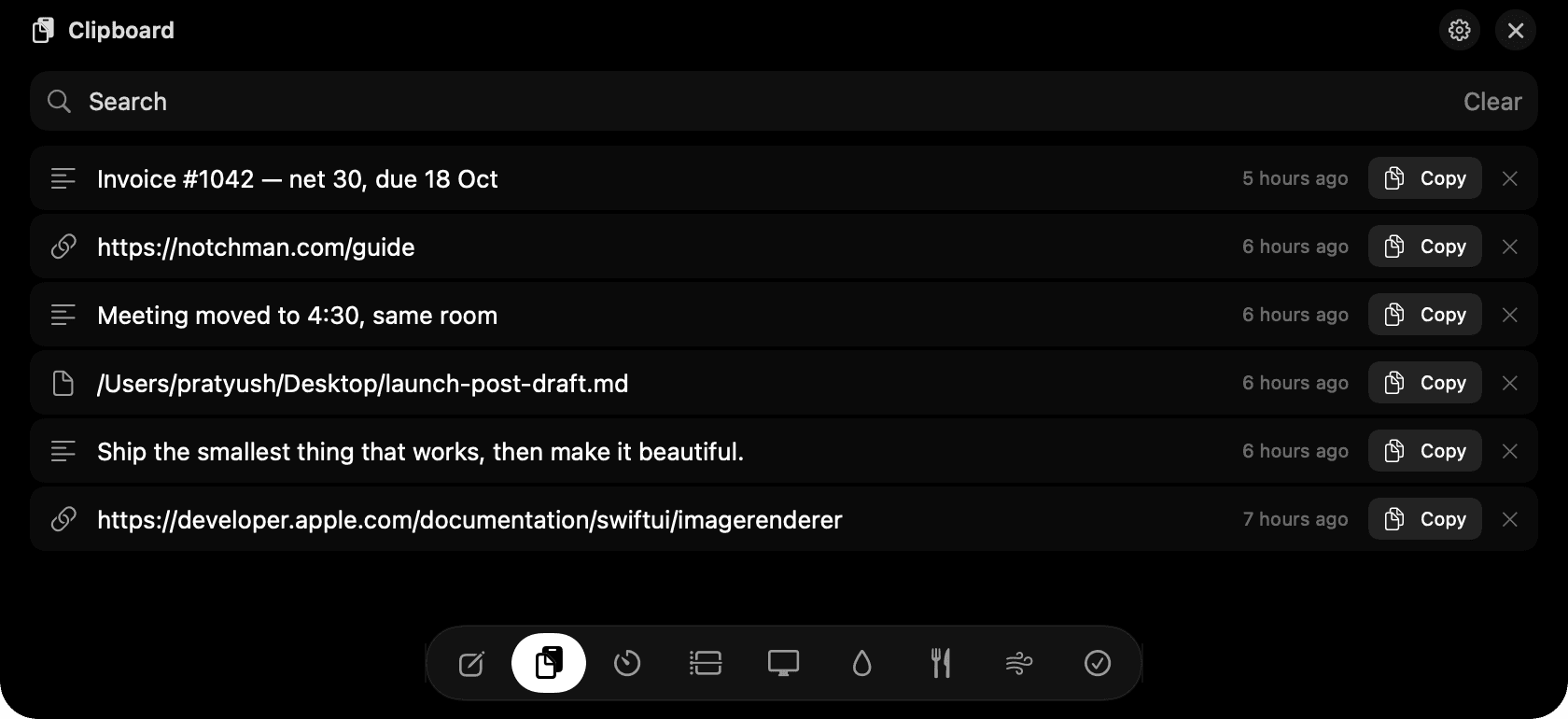
Clipboard history in the notch: search, click Copy, paste.
The problem
Copy something new and the last thing is gone, usually four seconds before you needed it. A clipboard manager fixes that, but most of them want a hotkey, a window and a place in your Dock.
How Clipboard works
Every time you copy, NotchMan keeps it: text, links and file references, each stamped with the time. Hover the notch and the list is there, newest first.
Type to search. Click Copy on a row and the notch closes so you can paste straight into whatever you were doing. Copying from history never re-adds the item, so the list stays in the order you actually copied things.
Anything a password manager marks as concealed is skipped, so passwords never land in the history. History is capped at five hundred items and the oldest fall off on their own.
Tips
- Clear wipes the whole history; the × on a row removes just that one.
- Links show their address, files show their name, and both paste back as the original.
Questions
- Does it keep images?
- Not yet. Text, links and files are kept. Screenshots and other images are ignored in this version.
- Is my clipboard sent anywhere?
- No. History lives in a local database on your Mac. There is no sync and no server.
- Does it need Accessibility permission?
- No. Reading the clipboard needs no permission on macOS, and NotchMan never asks for any.
- How does it compare to Maccy or Paste?
- Those are full clipboard apps with pinned snippets and their own window. NotchMan's clipboard is a tab in a tool you already hover. If clipboard history is your whole workflow, a dedicated app goes deeper. If you want the last few things you copied without another app running, this is enough.
Goes well with
Clipboard is one of nine tools in NotchMan.
One-time purchase, everything stays on your Mac, macOS 14 or later.
Updated 2026-09-21