A shelf in your Mac's notch
Drop it on the notch. Switch apps. Drag it out.
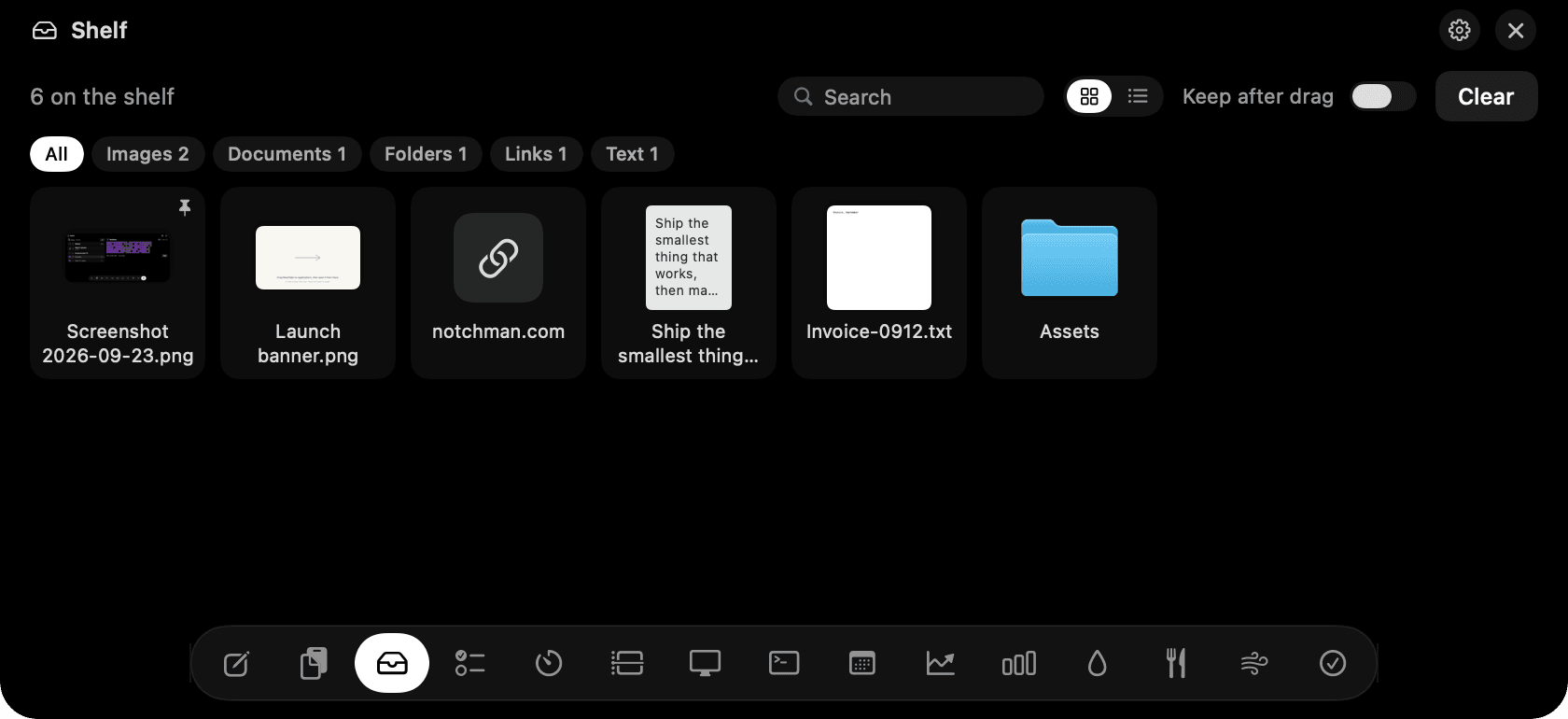
Shelf in the notch: dropped files with thumbnails, a link, a note, and a folder.
The problem
Moving a file between two apps on different spaces, or collecting three screenshots and a PDF for one message, means juggling Finder windows and hoping a drag survives a space swipe.
How Shelf works
Start dragging anything and aim for the notch. The panel opens on the Shelf tab and you can let go anywhere on it. Files, folders, images from a web page, links and selected text all land as tiles with real thumbnails.
Later, hover the notch and drag a tile into a message, an email, a design file, or a Finder window. Command-click to grab several at once. By default an item leaves the shelf once it lands somewhere; flip Keep after drag if you'd rather it stayed, or pin the ones that should always stay.
Press Space to Quick Look a file, Enter to open it, Delete to remove it, and ⌘V to add whatever is on your clipboard. Right-click for AirDrop, Share, Reveal in Finder, Copy and Copy Path.
The shelf keeps a reference, not a copy, so a two-gigabyte video costs nothing. If the original is moved or renamed the shelf follows it; if it's deleted the tile shows as missing. Search, filter by type, and switch between grid and list.
Tips
- Aim just below the notch rather than at the very top of the screen; the shelf opens as soon as you get close.
- The shelf holds thirty items and the oldest unpinned one drops off. It's a tray, not storage.
Questions
- Does it copy my files anywhere?
- No. It stores a reference to the file, like a Finder alias. The only exception is an image dragged straight from a web page, which has no file behind it, so a copy is saved into the app's own folder.
- What happens if I move the original file?
- The shelf follows it, the same way a Finder alias does. If the file is deleted, the tile is greyed out with a missing label and can be removed.
- Can I AirDrop from the shelf?
- Yes. Right-click a tile and choose AirDrop, or Share for everything else macOS offers.
- Why doesn't the notch react when I drag?
- Check that Shelf is switched on in Settings. When it's off, the notch ignores drags.
Goes well with
Shelf is one of eleven tools in NotchMan.
One-time purchase, everything stays on your Mac, macOS 14 or later.
Updated 2026-09-23