 notchman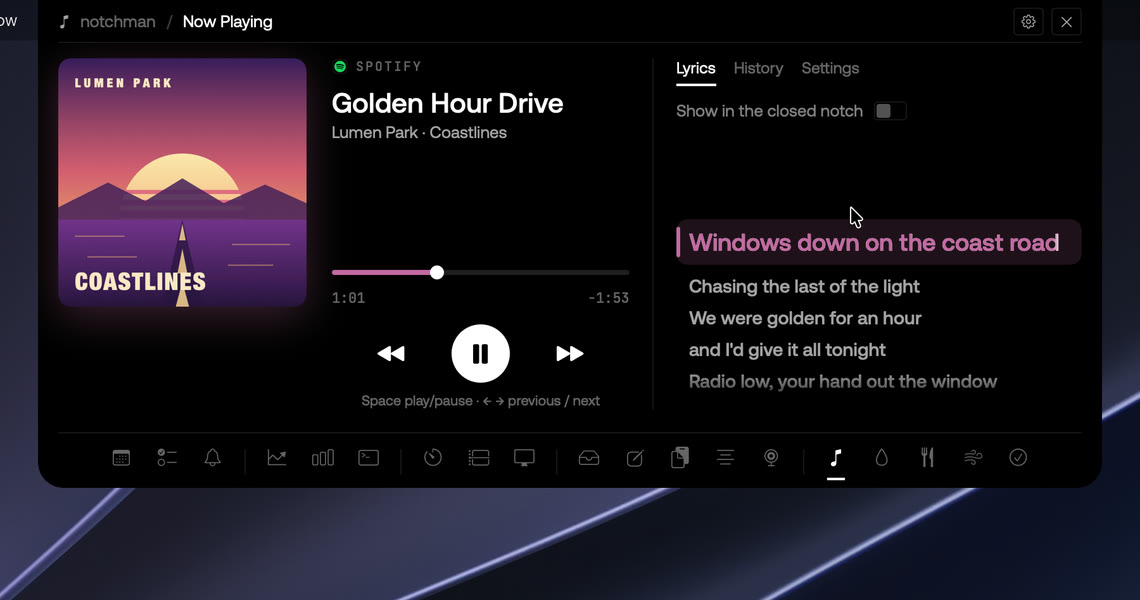
There are more than a dozen notch apps for the Mac now, and most roundups rank them as if they were all trying to do the same thing. They aren't. Some turn the notch into a Dynamic Island for music, HUDs and live activities. Some put a shelf and a few widgets there. Some, like ours, use it as a place to keep small tools. The right question isn't "which is best" but "what do I want the notch to do".
This is a comparison of six, sorted by that. Facts come from each app's own site or README, checked on 4 October 2026. We make notchman. It's listed first and marked as ours, so weigh that entry accordingly.
notchman: daily tools in one panel (ours)
$4.99 one-time, three Macs. macOS 14 or later, Apple silicon and Intel. No account: the license key from your receipt unlocks it.
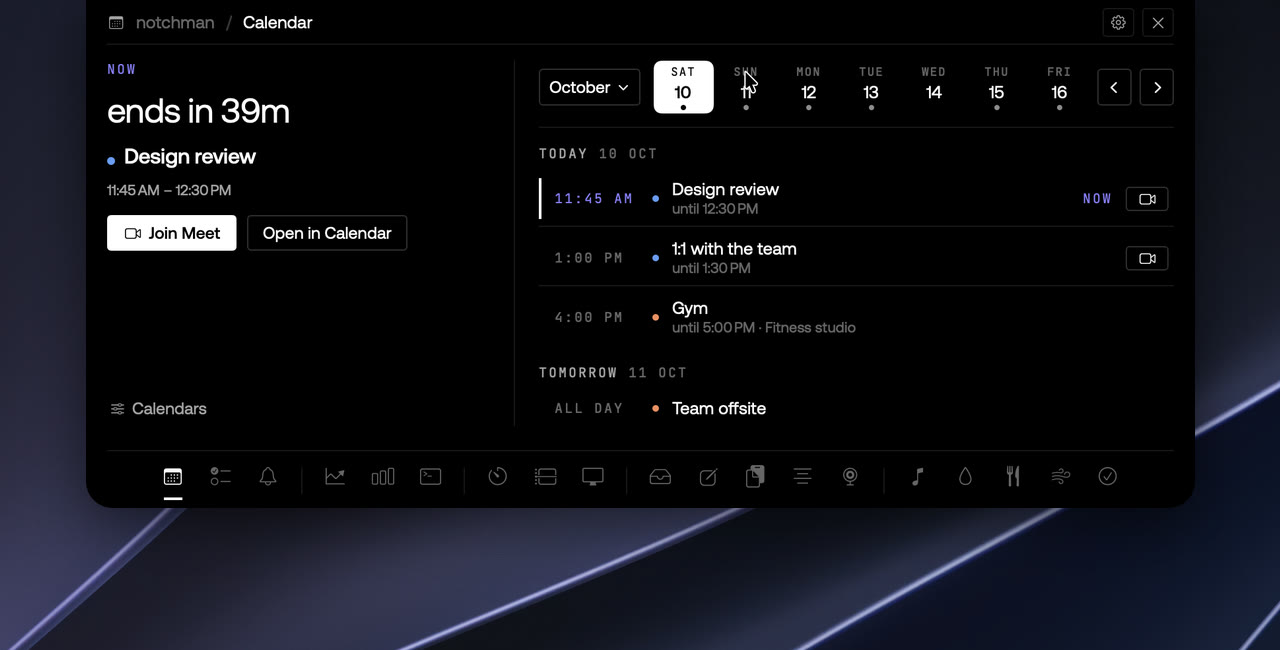
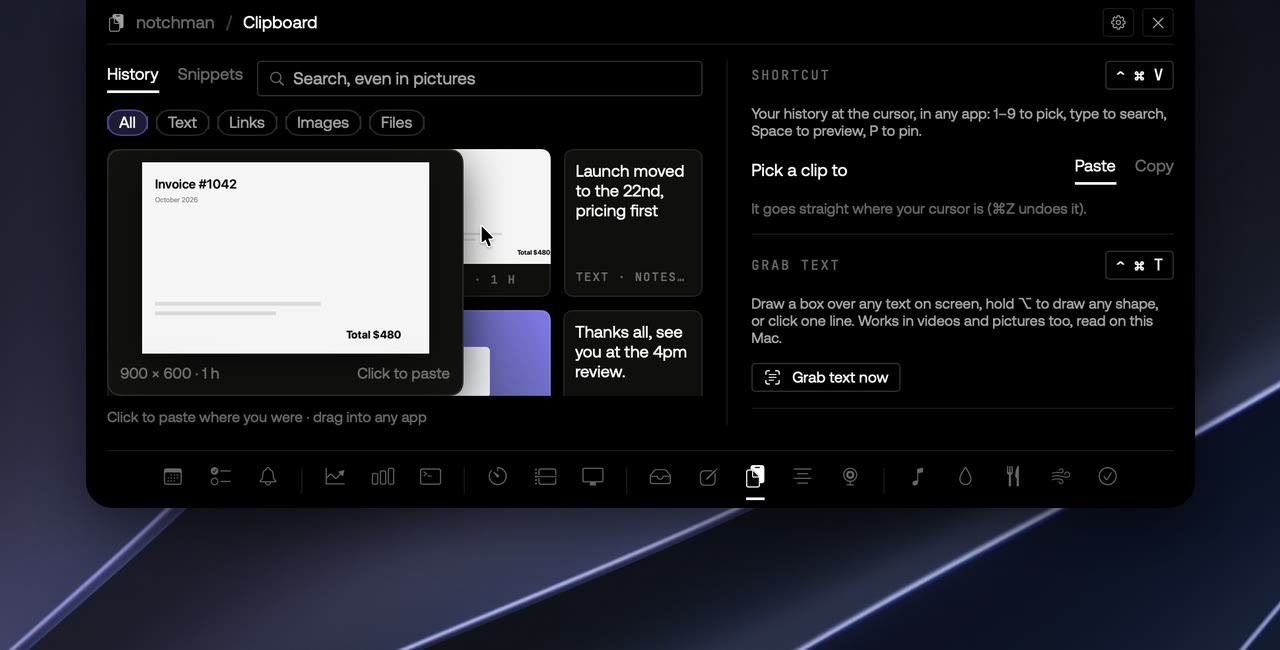
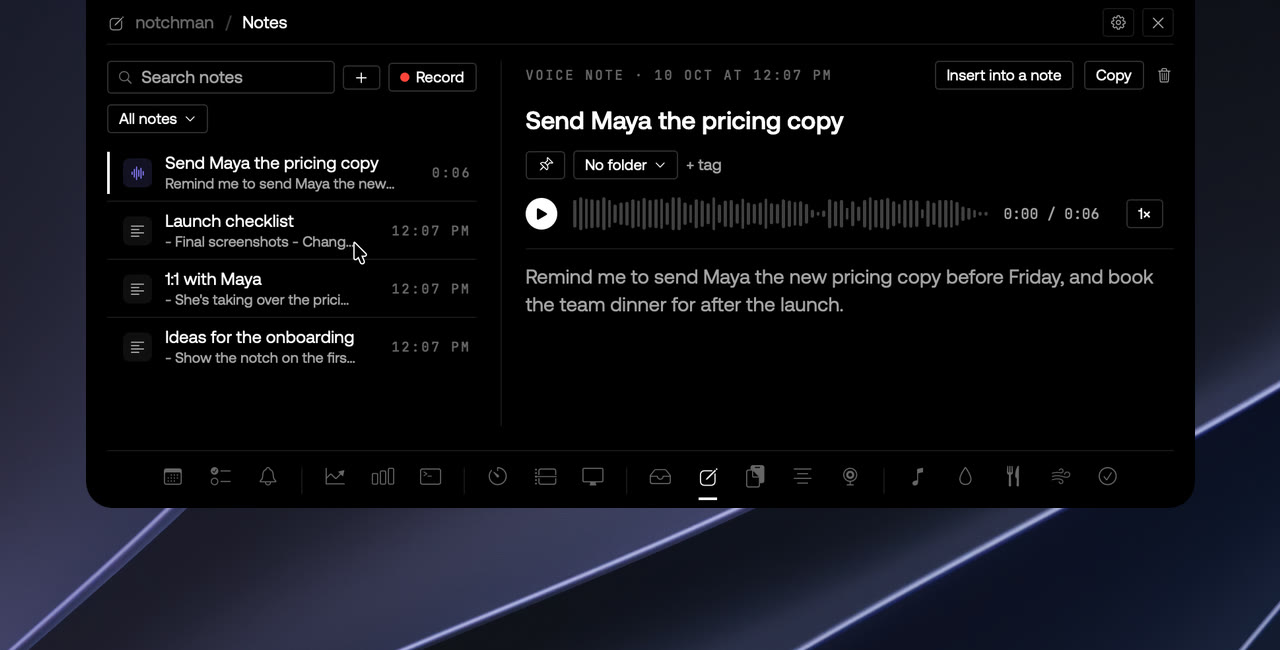
Twenty-four tools, each a bit deeper than a tab: clipboard history at the cursor with snippets and text grab, a teleprompter that stays out of recordings, a camera mirror, text and voice notes, a shelf for files with AirDrop, a task list with subtasks, reminders, a calendar with a Join button, Claude and Codex usage limits, revenue and traffic dashboards, timers, a time log, screen time, and now playing with karaoke lyrics, plus water, calories, breathing and habits. AI Chat, Dictation and Rewrite are included too, and run on your Mac (they need macOS 26). Signed, notarised, updates itself, and works on Macs without a notch.
If what you want from the notch is the small stuff of the day rather than what's playing, this is the one we built.
The Boring Notch: a free Dynamic Island
Free, open source (GPL-3.0). macOS 14 or later, Apple silicon and Intel.
The one most people have heard of, with more than ten thousand GitHub stars. Music with a visualiser in the closed notch, a shelf you can drop files on and AirDrop from, replacements for the volume and brightness HUDs, battery and Bluetooth live activities, calendar and reminders, a camera mirror, gestures, lock screen widgets, and an extension system. It installs from a DMG or Homebrew.
The catch: it isn't signed, so the first launch needs a Gatekeeper bypass. If that doesn't bother you and you want the notch to feel like an iPhone's island, this is the one.
Notchy: the free one closest to a toolbox
Free, with an optional tip. macOS 13 or later, some features 14.4 or 26.
Notchy covers a lot of the same ground as notchman, for nothing: a file shelf with AirDrop, clipboard history, quick notes, a Pomodoro timer, calendar and Apple Reminders, dictation with Apple's on-device model, a teleprompter, a camera mirror, Claude and Codex limits (plus Cursor and Copilot), weather and HUDs. No account and no telemetry. It is not open source, and it works on Macs without a notch.
What its site doesn't list: snippets or text grab with the clipboard, a task list with subtasks, revenue or analytics. If free matters most, start here.
Alcove: the polished Dynamic Island
$14.99 one-time, with a 72-hour free trial, three Macs. macOS 15 Sequoia or later.
Alcove does the island idea with a lot of polish: now playing for every media source with AirPlay, an expanded calendar that works with Fantastical and Notion Calendar, custom volume and brightness HUDs, battery alerts and weather. It collects no data, works on screens without a notch, and has a 14-day refund. If you want what's playing and what's next to look beautiful, this is it.
NotchNook: widgets and a shelf
$15 one-time or $2 a month, two Macs either way, with a 48-hour free trial (no card). Plans at getnotchnook.com.
NotchNook, by lo.cafe, was one of the first notch apps people paid for: music controls, a calendar with meeting join buttons, notes, to-dos, timers, a camera mirror, your Shortcuts and the Tray, a file shelf with AirDrop. Refunds within 7 days.
Atoll: The Boring Notch, with more widgets
Free, open source (GPL-3.0). macOS 14 or later.
Atoll's README credits The Boring Notch as its foundation, and it adds to it: clipboard history, timers, calendar previews, battery and charging live activities, privacy indicators for the camera and microphone, and a lock-screen weather widget. Music works with Apple Music, Spotify and Cider. The README asks for a MacBook with a notch, so it isn't for an external display.
How to choose
- notchman if you want clipboard, snippets, a teleprompter, tasks, timers and your numbers in one place, paid once.
- The Boring Notch if you want music, files and HUDs in the notch, free, and don't mind an unsigned app.
- Notchy if you want a free toolbox and can do without snippets, tasks or dashboards.
- Alcove if you want the island idea, paid and polished, on macOS 15 or later.
- NotchNook if you want a free trial first, or would rather pay $2 a month.
- Atoll if you want The Boring Notch with a few more widgets, on a MacBook with a notch.
Two more things. None of these can share the notch, so you will run one. And every one of them is a one-time price or free except NotchNook's monthly option, which says something good about this corner of the Mac market.
For a closer look, see the side-by-side pages: notchman vs Notchy, notchman vs Alcove, notchman vs NotchNook, notchman vs The Boring Notch and notchman vs Atoll.