notchmanBuy
Launch price: $4.99, then $19.99 from 16 October.Buy now ›
Dictation⌥⌘K

Talk anywhere.
It types at your cursor.

Press ⌥⌘K in any app, say it, press ⌥⌘K again: clean text is pasted where your cursor is. Your voice is turned into text on your Mac, with no account and no cloud.

24 tools, one price · macOS 14 or later · 14-day refund
How it works
01
Press ⌥⌘K
In any app. The notch shows it’s listening.
02
Talk
Say it the way you’d say it.
03
Press ⌥⌘K again
Clean text lands at your cursor. Esc cancels.
01 · Tidy

Fillers out, punctuation in.

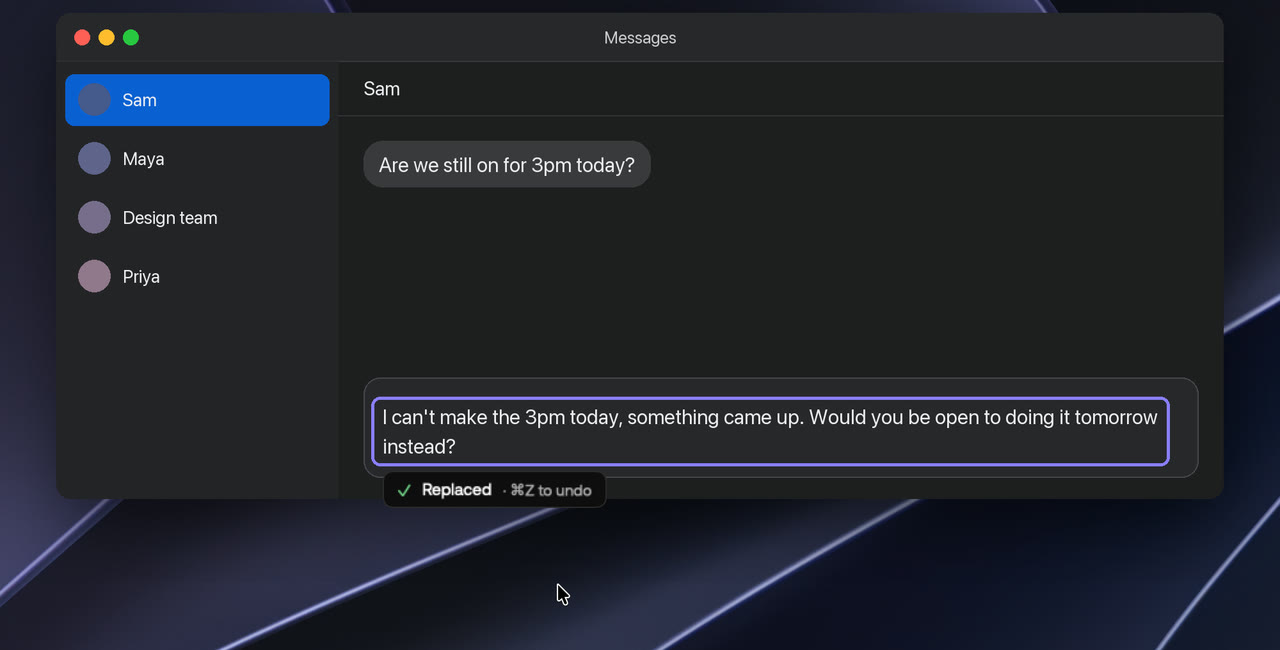
Say a reply the way you’d say it, ums and all. Apple Intelligence tidies it on your Mac before it pastes: fillers out, capitals and punctuation in, your words kept.

02 · Any app

Wherever you’re typing.

A chat, a note, a terminal: press ⌥⌘K where the cursor is and that’s where the words go. It matches the app, so “git commit dash m” lands as git commit -m.

03 · History

Every dictation, kept on your Mac.

The Dictation tab lists what you said, newest first, with the app it went to. Copy one and paste it somewhere else; nothing is lost if it landed in the wrong place.

The details
Opens with⌥⌘K, from any app; ⌥⌘K again pastes, Esc cancels
Speech to textApple’s on-device speech recognition
Tidy-upApple Intelligence, on your Mac; optional
NeedsmacOS 26. There’s no Dictation on older macOS
PermissionsThe microphone; Accessibility to paste at the cursor
HistoryKept on this Mac
CostIncluded in the one price

notchman comes with Dictation
and 23 other tools.

One hover away: Teleprompter, Mirror, AI Usage, Revenue, Music and the rest. Pay once, use it every day.
Lifetime license
$4.99$19.99once
Buy for $4.9914-day refund · Secure checkout by Dodo · Your local currency
Questions
Does my voice leave my Mac?
No. Speech is turned into text by Apple’s on-device recognition, and the tidy-up runs on Apple Intelligence on your Mac. There’s no cloud, no account and no API key.
What does it need?
macOS 26, the microphone, and Accessibility, which is what lets it paste into other apps. macOS asks the first time you press ⌥⌘K. On macOS 14 or 15 Dictation isn’t available; every other tool works.
Will it answer my question instead of typing it?
No. It only tidies what you said; it never replies to it.
Does it cost extra?
No. It’s included in the one price, like every tool. There are no minutes to buy and no Pro plan.
How do I cancel?
Press Esc while it’s listening. Nothing is pasted.