 notchman
Snippets· in Clipboard
Type it once.
Ever.
Save a text with a short code like ;addr, and typing the code in any app turns it into the text. Your address, your sign-off, your meeting link, in three keystrokes.
24 tools, one price · macOS 14 or later · 14-day refund
How it works
01
Save a text
Give it a short code, like ;addr or ;thx.
02
Type the code
In any app: Mail, Slack, a browser, a form.
03
It expands
The code turns into the text as you type.
01 · Placeholders
Today’s date, filled in.
{date}, {time} and {clipboard} are filled in as the snippet is typed, so one code can hold today’s date and the link you just copied.
02 · Make one
A new code in seconds.
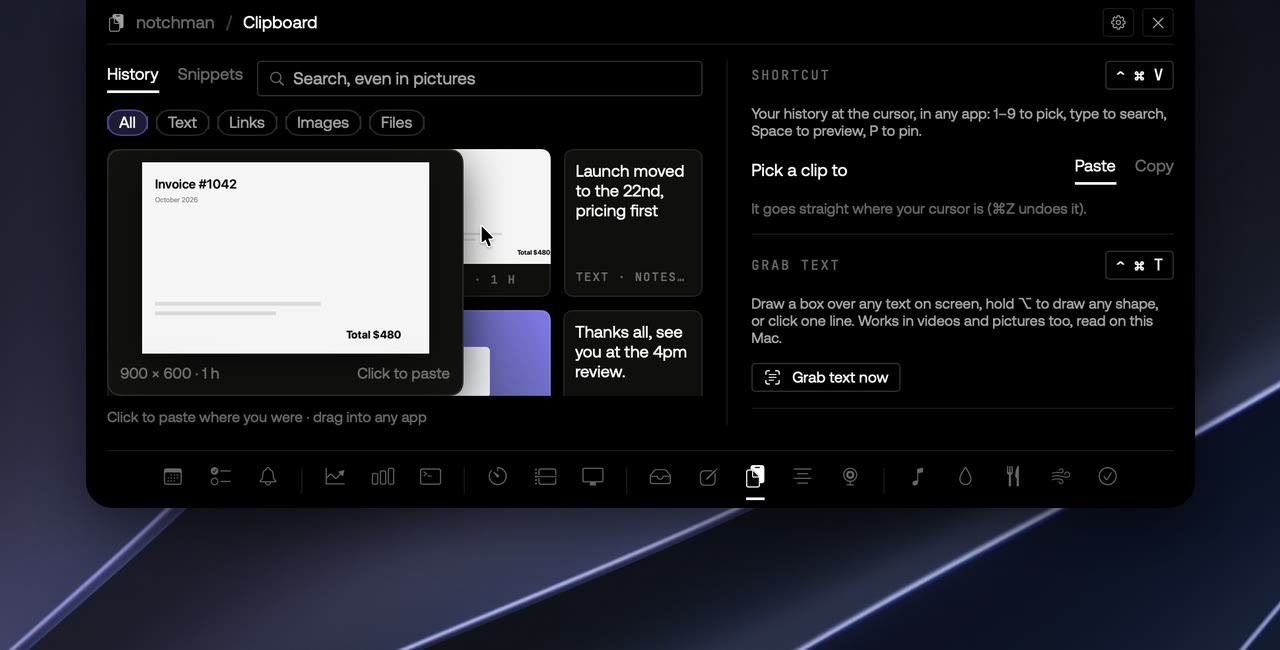
New snippet, a short code, the text, Save. Or hover any clip in your history and press Save as snippet.
03 · Find one
Forgot the code?
Press ⌃⌘V and type ; to see your snippets, then ↩ to paste one. Keep typing to search them.
The details
TriggerA short code you choose, like ;addr
Placeholders{date}, {time} and {clipboard}
Works inAny app you type in
PermissionsAccessibility, because it types for you
Where it livesIn Clipboard for now
notchman comes with Snippets
and 23 other tools.
One hover away: Teleprompter, Mirror, AI Usage, Revenue, Music and the rest. Pay once, use it every day.
Lifetime license
$4.99$19.99once
Buy for $4.9914-day refund · Secure checkout by Dodo · Your local currencyQuestions
Which apps does it work in?
Any app you type in: Mail, Slack, Messages, a browser, a form. Type the code and it turns into the text right there.
What can a code look like?
It starts with ; and uses lower-case letters, digits, - and _, like ;addr or ;sig-work. A code in the middle of a word doesn’t fire, so “e;addr” stays as it is.
Does it touch my clipboard?
Only for a moment: the text is pasted in, then your clipboard goes back to what it was.
Does it see my passwords?
No. While any app has secure typing on (a password field, a password manager, Terminal’s Secure Keyboard Entry) macOS hides keystrokes from every app, so snippets pause and come back when it’s off.
Why does it need Accessibility?
Because it types for you: it removes the code and puts the text in. macOS asks once; nothing you type is stored or sent anywhere.