 notchman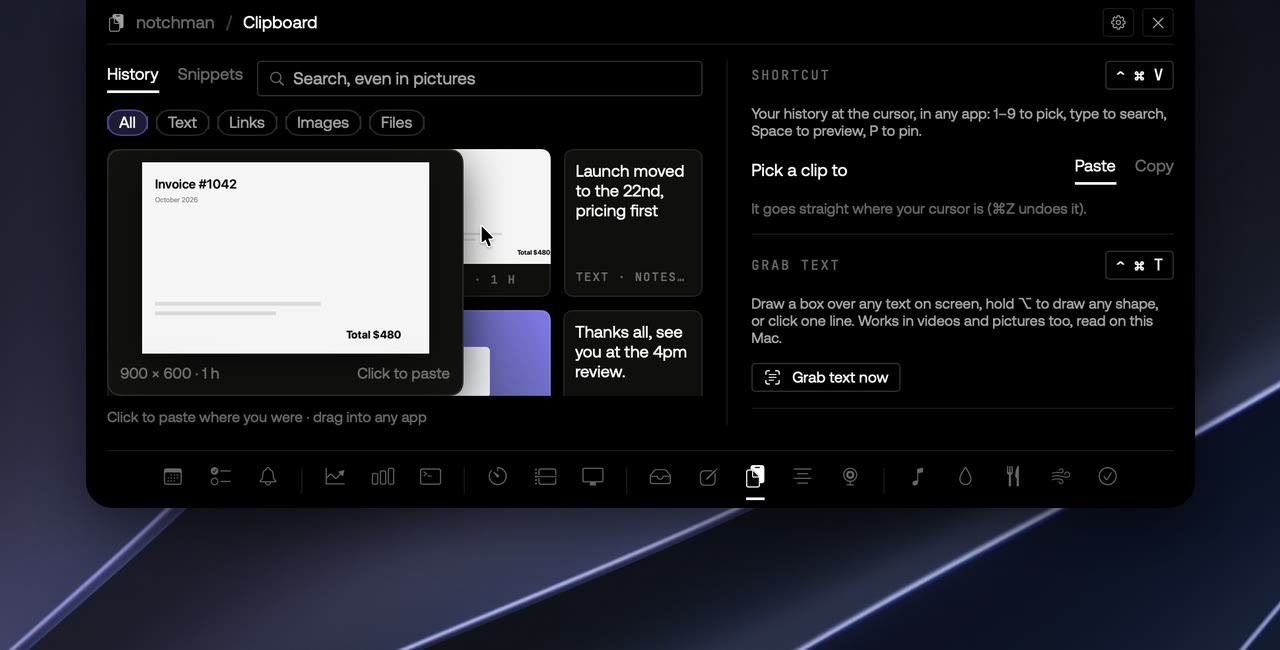
macOS remembers exactly one thing you copied. Copy something else and the first is gone, which you discover about four seconds after you needed it. A clipboard manager fixes that by keeping a history. The usual ones are good, but they're one more app running, one more icon, and a few minutes of setup. Here is a way to get the same thing from a tool you already hover.
Keep the history in the notch
notchman keeps every copy: text, links, files, colours and pictures, each with the app it came from. When you want something back, press ⌃⌘V and your history opens right where you're typing, in any app.
From there it's all keys:
- 1–9 picks a clip and pastes it where your cursor was.
- Typing searches. Start typing and the list filters as you go.
- Space previews a clip big before you paste it.
- P pins it. Pinned clips stay at the top, where new copies never push them out.
The notch has the same history as cards: hover it, open Clipboard, click a card to paste it where you were, or drag it straight into another app.
Search finds words inside screenshots
Screenshots and pictures are kept as pictures, and the words in them are read on your Mac. So searching "invoice" finds the screenshot of the invoice, not just text that happens to say it. Nothing is uploaded to do this.
Paste it the way you need it
Press → on a clip to paste it as UPPERCASE, lowercase, Title Case, Sentence case or one line, then ↩. Text copied in capitals out of a PDF comes in as a sentence; a paragraph broken across lines comes in as one.
Snippets and Grab Text
Two things sit alongside the history, in the same tab.
Snippets are the text you type every day. Save it once with a short code like ;addr, and typing the code in any app turns it into the text. {date}, {time} and {clipboard} are filled in as it's typed. Forgot a code? Press ⌃⌘V and type ; to see them all.
Grab Text is for words you can't select. Press ⌃⌘T and drag a box over a paused video, a picture, a locked PDF or an error message, and the words are on your clipboard and in your history. Hold ⌥ to draw any shape, click once for a single line, or press Space for a whole window.
What it never keeps
Copies from password managers are skipped: they mark what they copy as concealed, and notchman honours that. Passwords, API keys, tokens and card numbers are never kept either. You can add apps whose copies should never be kept, pause history for an hour, and choose how long history stays.
Keeping history needs no permission. Pasting at the cursor and snippets use Accessibility, and Grab Text needs Screen Recording to see the screen while you choose; macOS asks the first time. Everything stays in one database on your Mac. No sync, no account, no server.
A day with it
- Copy a tracking number from an email, a Slack message, then an address. Press ⌃⌘V in the courier's site, press 3, done.
- Take a screenshot of a receipt in the morning. In the afternoon, ⌃⌘V and type the shop's name: there it is.
- Type ;zoom in a calendar invite and your meeting link appears.
When a dedicated clipboard app is the better choice
Honestly, sometimes. If clipboard work is your whole job, Maccy, Paste or Raycast's clipboard go deeper in their own ways, and TextExpander goes deeper on snippets.
If what you want is history, pins, search inside screenshots, snippets and text grab without another app running, the notch is a good place for it. The Clipboard page has the details, and it's one of more than twenty tools in the same panel.